
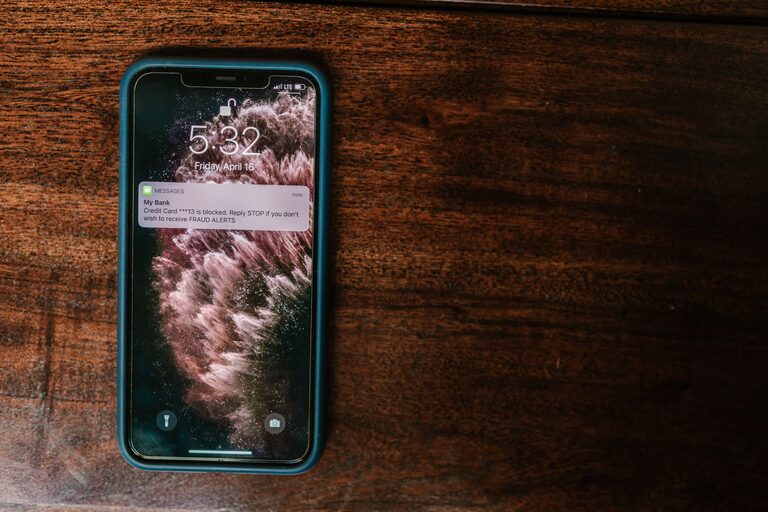
In today’s digital world, notifications are a constant presence, vying for our attention every minute. While they can be helpful reminders and alerts, they can also become a major source of distraction, interrupting our focus and affecting productivity. Setting clear boundaries with notifications is essential to maintaining control over your time and mental space. In this post, we’ll explore practical tips to help you manage notifications effectively and create a healthier digital environment.
Why Setting Boundaries with Notifications Matters
Notifications are designed to capture your attention, but constant interruptions can lead to stress, fragmented focus, and decreased efficiency. By establishing boundaries, you can:
– Reduce distractions and improve concentration
– Minimize stress caused by feeling “always on”
– Prioritize important tasks and messages
– Enjoy uninterrupted personal or downtime
Assess Your Current Notification Habits
Before making changes, it helps to understand how notifications currently affect you.
– Take stock: Check your phone and computer to see which apps send frequent notifications.
– Evaluate necessity: Ask yourself if each notification adds value or if it’s just noise.
– Notice patterns: Observe when you receive the most notifications and how often you check them.
Being aware is the first step toward making meaningful adjustments.
Tips for Setting Boundaries with Notifications
1. Customize Notification Settings
Most devices and apps allow you to tailor notification preferences.
– Turn off non-essential alerts: Disable notifications from apps that aren’t urgent or important to your daily tasks.
– Use “Do Not Disturb” modes: Schedule these during work hours, meetings, or personal time to block interruptions.
– Mute group messages or channels: Groups can generate high volumes of notifications; mute them and check when convenient.
2. Set Specific Times to Check Notifications
Instead of reacting to every alert immediately, create designated times for catching up on messages.
– Batch notifications: Check emails or messages two or three times a day.
– Communicate availability: Let coworkers or friends know when you are reachable to set mutual expectations.
– Avoid checking notifications first thing in the morning: Start your day with intentional focus rather than distractions.
3. Use Technology to Your Advantage
There are tools and features designed to help you control notifications.
– Focus or concentration apps: These can block distracting notifications during set periods.
– Priority notifications: Configure your device to allow only calls or messages from key contacts.
– Notification summaries: Some smartphones bundle non-urgent notifications into a digest you can review later.
4. Manage Email Notifications Wisely
Email can be one of the biggest sources of notification overload.
– Turn off instant alerts: Switch to manual or scheduled email fetching.
– Unsubscribe ruthlessly: Reduce the number of promotional or informational emails arriving.
– Use filters and folders: Organize incoming emails so you can prioritize what gets your immediate attention.
5. Establish Boundaries at Work and Home
Make your notification boundaries clear to others.
– Set status indicators: Use “busy” or “away” statuses on communication tools.
– Create phone-free zones or times: For example, no notifications during family meals or right before bedtime.
– Discuss notification preferences: Especially if you work in a team, agree on expected response times and appropriate channels.
6. Practice Mindfulness and Self-Discipline
Changing notification habits requires intentional effort.
– Resist the urge to check every notification: Remind yourself that not all alerts need instant attention.
– Reflect on your progress: Notice improvements in focus and stress levels as you gain control.
– Adjust boundaries as needed: What works in one phase of life may need tweaking in another.
Conclusion
Notifications are useful tools when managed thoughtfully but can hinder your productivity and well-being if left unchecked. By customizing settings, batching your responses, leveraging helpful technology, and communicating your boundaries, you can reclaim your attention and create a more balanced relationship with your devices. Remember, setting boundaries is about creating space to focus on what truly matters—whether it’s work, relationships, or personal time.
Start small with one or two changes, and build from there. Your mind and your schedule will thank you.